REMINI-Ultra-HD Natural Portrait Enhancement
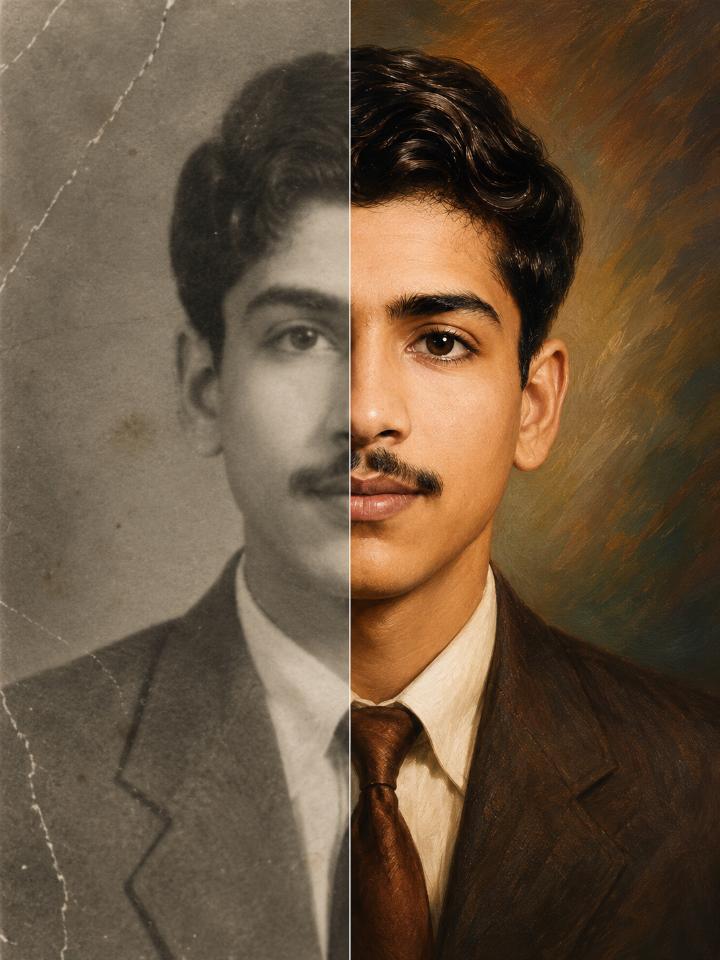
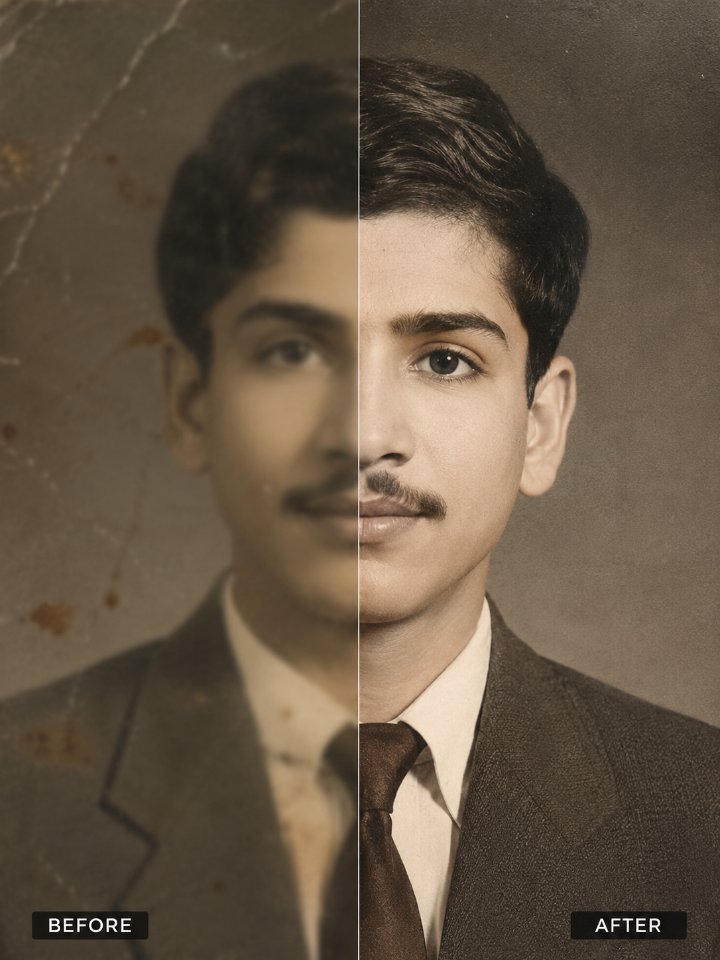
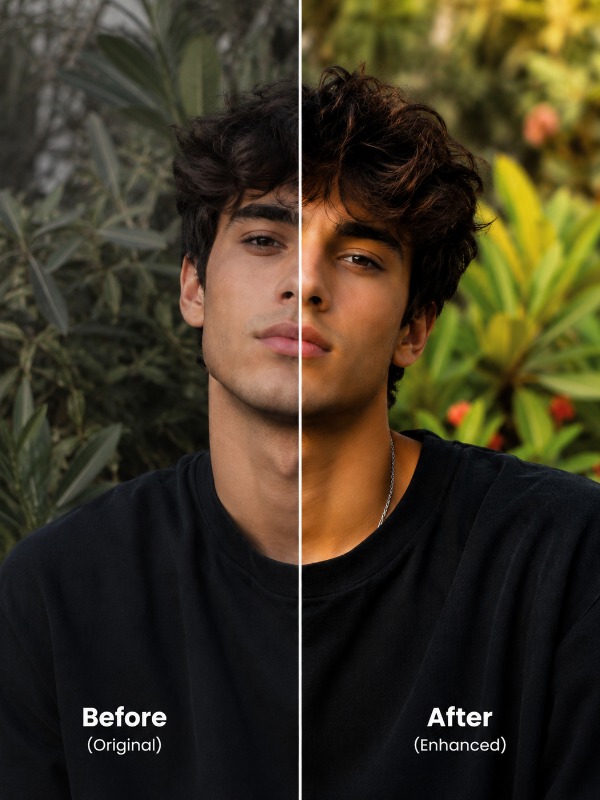
Transform a low-quality portrait into a crisp, professional DSLR-style photograph while preserving the person's real identity, natural skin texture, original colors, and authentic appearance. The result features enhanced facial details, cleaner skin, sharper eyes, improved hair texture, richer colors, and a soft cinematic background blur without looking artificial.
Full Prompt
Use the uploaded image as the primary source. Preserve the original person's identity, facial structure, facial proportions, skin tone, hairstyle, clothing, background composition, pose, expression, and overall appearance. Do not alter identity, age, gender, facial features, or scene composition. OBJECTIVE Transform the uploaded image into an ultra-high-definition professional photograph while maintaining complete authenticity and realism. IMAGE QUALITY ENHANCEMENT • Restore maximum detail • Convert image into ultra-HD quality • Increase sharpness naturally • Recover lost textures • Improve overall image clarity • Restore compressed image details • Remove pixelation • Remove digital noise • Recover fine details • Enhance dynamic range • Improve micro-contrast • Professional DSLR-quality finish FACE ENHANCEMENT • Preserve 100% facial identity • Improve facial clarity • Enhance eyes naturally • Improve eyebrow definition • Sharpen eyelashes • Improve lip definition • Enhance facial contours • Recover facial textures • Maintain realistic skin structure • Maintain original facial proportions ADVANCED BEAUTY RETOUCHING • Detect and remove pimples naturally • Remove temporary acne • Remove small blemishes • Reduce skin imperfections • Reduce dark spots • Remove minor facial marks • Clean uneven skin texture • Maintain realistic facial appearance • Preserve natural skin details • Avoid beauty-filter look SKIN ENHANCEMENT • Apply professional portrait retouching • Smooth skin naturally • Improve skin texture • Slightly brighten skin tone • Add healthy skin glow • Improve skin evenness • Reduce roughness • Maintain visible pores • Preserve realistic texture • Avoid plastic skin • Avoid wax-like skin • Maintain natural complexion • Luxury portrait-retouch finish EYE ENHANCEMENT • Improve iris detail • Increase eye sharpness • Add natural catchlights • Enhance eye clarity • Maintain realistic eye color • Preserve natural appearance HAIR ENHANCEMENT • Recover individual hair strands • Increase hair detail • Improve hair texture • Improve volume definition • Remove blur from hair • Preserve natural hairstyle • Enhance hair shine naturally COLOR CORRECTION • Professional color grading • Improve white balance • Enhance color accuracy • Increase color depth • Improve color richness • Enhance natural vibrancy • Restore faded colors • Improve tonal balance • Maintain realistic photography colors SKIN TONE ENHANCEMENT • Slightly improve skin tone richness • Add healthy warmth • Enhance complexion naturally • Improve facial glow • Maintain original ethnicity and skin tone • No unrealistic whitening • No artificial skin color changes LIGHTING ENHANCEMENT • Improve exposure balance • Recover shadow details • Recover highlight details • Improve tonal range • Enhance natural lighting • Professional studio-quality illumination • Improve subject visibility • Preserve realistic shadows PORTRAIT DETECTION (IMPORTANT) IF the image contains a SINGLE PERSON or CLOSE-UP PORTRAIT: • Apply DSLR portrait enhancement • Create professional subject separation • Add natural shallow depth of field • Blur background softly • Maintain sharp focus on eyes • Keep face crystal clear • Create creamy cinematic bokeh • Smooth background transitions • Luxury portrait-photography appearance • Professional lens effect • Premium smartphone portrait-mode quality IF the image contains MULTIPLE PEOPLE, GROUP PHOTOS, LANDSCAPES, BUILDINGS, DOCUMENTS OR OBJECTS: • Do NOT add artificial background blur • Keep all important subjects sharp • Preserve original scene depth • Maintain image composition • Enhance entire image evenly BACKGROUND ENHANCEMENT • Increase background saturation slightly • Improve color richness • Enhance environmental colors • Add subtle vibrance • Improve color depth • Maintain realistic appearance • Avoid oversaturation • Preserve original mood DETAIL RECOVERY • Restore clothing textures • Recover fabric details • Improve jewelry details • Sharpen accessories • Recover environmental textures • Improve object definition • Enhance background details • Restore lost image information PROFESSIONAL FINISHING • DSLR-quality output • Studio-grade enhancement • Luxury portrait finish • Commercial photography quality • Magazine-quality appearance • Social-media-ready quality • Premium professional retouching • Natural realism QUALITY TARGET • 4K Ultra HD • 8K-quality appearance • Hyper-detailed • Ultra-sharp • Crystal-clear details • Maximum realism • Professional photography standard • Premium visual quality FINAL LOOK • Remini-quality enhancement • Natural skin smoothing • Blemish-free appearance • Slightly brighter skin tone • Healthy skin glow • Enhanced eye detail • Improved hair texture • DSLR-style portrait blur • Slightly richer background colors • Cinematic professional finish • High-end portrait photography quality NEGATIVE PROMPT face swap, identity change, different person, AI-generated face, plastic skin, wax skin, over-smoothing, beauty filter effect, unrealistic whitening, cartoon effect, anime style, painting effect, oversaturation, excessive HDR, distorted eyes, extra facial features, altered hairstyle, altered expression, altered pose, fake skin texture, unrealistic blur, low quality, watermark, logo, text artifacts, excessive sharpening halos, overprocessed image, unnatural colors.
Tips for Best Results
- ✓Face should occupy at least 20-30% of the frame.
- ✓Avoid heavily compressed screenshots.
- ✓Better input = better enhancement.
Want this prompt run automatically on your own photos? Get the PromptAi app.
Get the App