Heritage Photo Restoration Pro
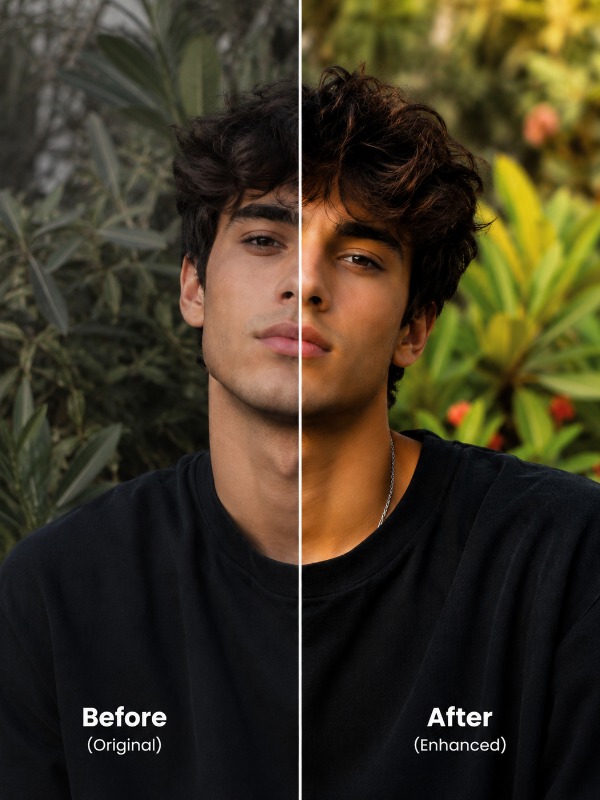
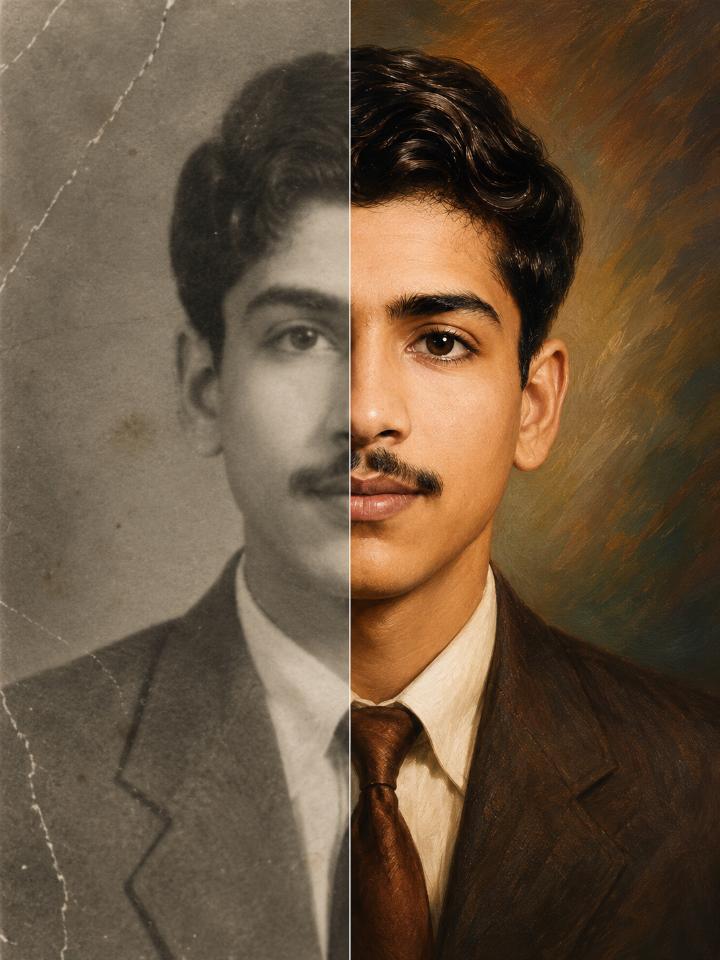
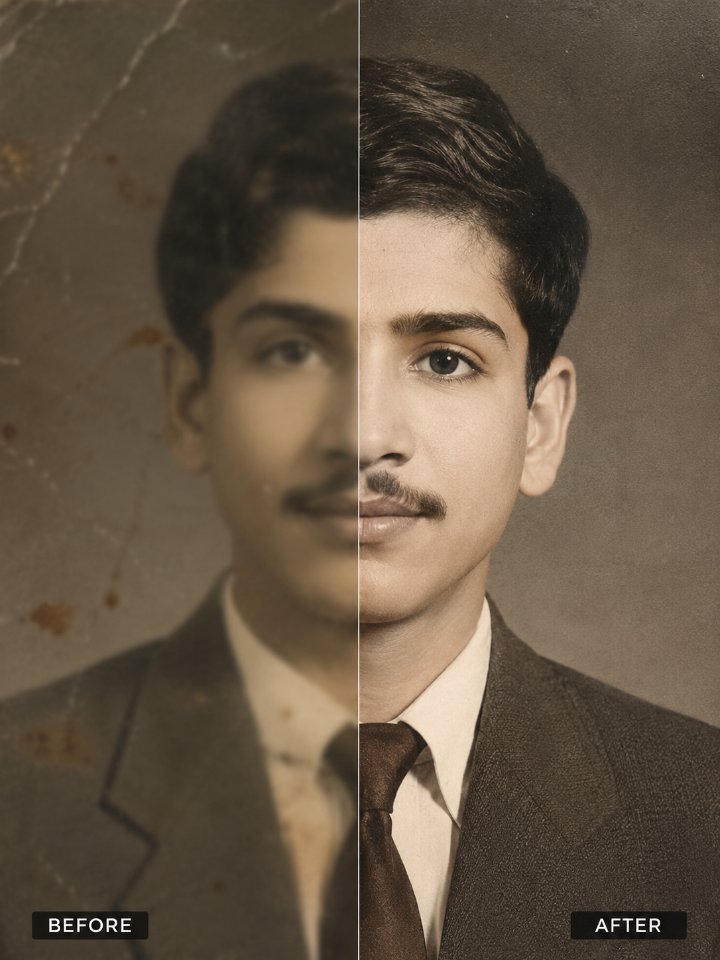
Bring damaged vintage photographs back to life with museum-quality restoration. This prompt repairs scratches, tears, fading, and age-related damage while preserving the subject's exact identity, facial features, historical authenticity, and emotional character in stunning 4K archival quality.
Full Prompt
Restore and enhance this photograph into a pristine, professionally remastered, ultra-high-resolution image while preserving the original identity, facial structure, historical authenticity, and natural appearance of every person in the photo. Identity Preservation (Highest Priority) Maintain absolute facial identity accuracy. Do not alter, beautify, redesign, or reinterpret the subject. Preserve exactly: Face shape Head shape Jawline Chin structure Forehead proportions Cheekbone structure Eye shape and spacing Eyebrows Nose shape and proportions Lip shape and size Ear shape and placement Facial proportions Skin tone characteristics Distinctive facial features Birthmarks, moles, freckles, scars, and identifying marks when visible Original age appearance Original expression Original ethnicity and ancestry characteristics The restored image must look like the exact same person, not a newly generated face. Photo Restoration Repair and remove: Tears Scratches Creases Fold marks Water damage Dust particles Dirt spots Film grain damage Chemical deterioration Mold marks Stains Missing fragments Scan artifacts Compression artifacts Color fading Discoloration Noise Blurriness caused by aging Reconstruct damaged regions using surrounding visual information while maintaining historical accuracy and realism. Detail Recovery Recover and enhance: Facial details Skin texture Hair strands Eyelashes Eyebrows Clothing textures Fabric details Jewelry details Accessories Background details Architectural elements Objects and scenery Create realistic details only where necessary and consistent with the original image. Image Quality Enhancement Transform the image into: 4K Ultra HD quality Extremely sharp focus High dynamic range Professional photographic clarity Studio-quality restoration High-detail rendering Clean image structure Noise-free output Artifact-free output Crystal-clear textures Exceptional edge definition Maintain a natural appearance without excessive sharpening. Color Restoration If the image is color: Restore faded colors Correct color shifts Balance white levels Improve contrast naturally Recover realistic skin tones Restore clothing colors accurately Maintain original color intent If the image is black-and-white: Preserve black-and-white format unless colorization is specifically requested Improve tonal range Enhance grayscale depth Restore natural contrast Recover highlight and shadow details Lighting Enhancement Improve: Exposure balance Shadow detail Highlight recovery Dynamic range Midtone clarity Natural lighting consistency Avoid artificial lighting effects. Historical Authenticity Maintain: Original clothing styles Historical elements Cultural details Period-accurate appearance Original composition Original pose Original camera perspective Do not modernize the photograph. Professional Finishing Produce a museum-quality archival restoration with: Natural skin texture Realistic facial detail Clean background reconstruction Professional photographic quality High-resolution preservation Print-ready output Ultra-realistic rendering Negative Instructions Do NOT: Change facial identity Change facial proportions Make subjects look younger or older Apply beauty filters Smooth skin excessively Create AI-generated faces Alter expressions Change hairstyles unnecessarily Add modern clothing Add fictional details Change pose or composition Over-sharpen Over-saturate Create a plastic or artificial appearance Introduce fantasy elements Replace missing areas with inaccurate content Final Output Goal Create an ultra-realistic, professionally restored, 4K Ultra-HD archival photograph that looks as if the original image was captured yesterday with a modern high-end professional camera, while preserving 100% of the subject's identity, facial structure, historical authenticity, and emotional character. For particularly damaged photos, add this line at the end: "Prioritize identity preservation over aggressive reconstruction. When uncertain, preserve original features rather than inventing new details."
Tips for Best Results
- ✓Upload the highest-resolution scan or photograph available, even if it contains severe damage, scratches, or fading.
- ✓This prompt prioritizes facial identity preservation over aggressive AI reconstruction, ensuring the restored person remains true to the original photo.
- ✓Ideal for family heirlooms, military portraits, wedding photographs, historical archives, and genealogy projects.
Want this prompt run automatically on your own photos? Get the PromptAi app.
Get the App