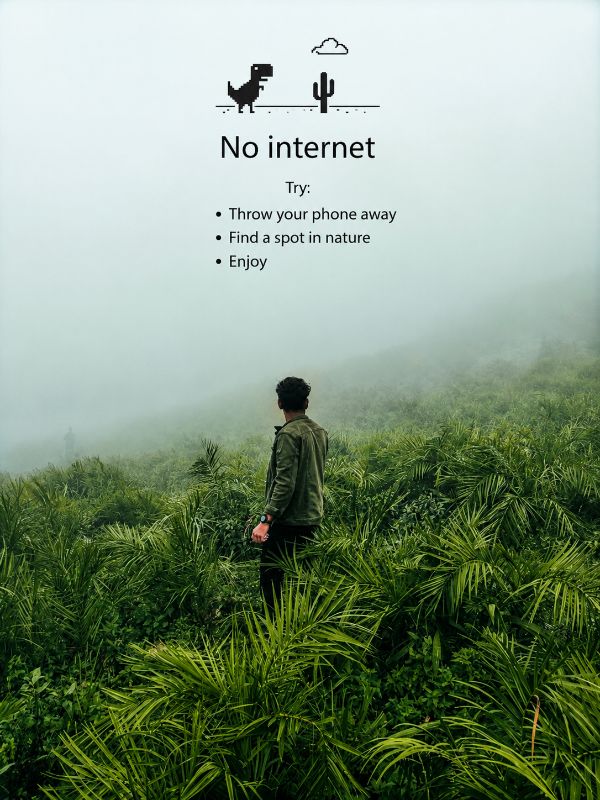
🌿 No Signal, Better Connection
Turn a travel photo into a Chrome-inspired offline moment. Preserve the original image while adding a minimalist "No Internet" message that celebrates disconnecting from screens and reconnecting with nature.
Full Prompt
Edit the uploaded image only. Do NOT change the original photograph. Preserve the road, mountain, sky, clouds, greenery, subject position, clothing, proportions, perspective, and overall composition exactly as they appear. Do NOT replace the face. Do NOT alter facial features. Do NOT change the person's pose. Do NOT add new scenery. Do NOT remove any existing details. Do NOT crop or zoom. Do NOT apply artistic filters, painting effects, cartoon effects, AI stylization, HDR effects, or cinematic color grading. IMAGE ENHANCEMENT ONLY Increase image sharpness slightly (around 10–15%). Increase clarity slightly. Increase vibrance and saturation subtly (around 10–15%). Keep colors natural. Retain realistic textures. Preserve cloud details. Preserve mountain details. Preserve road texture. Preserve natural lighting. Maintain the original travel-photography look. TEXT OVERLAY At the top center of the image add the classic Chrome Dinosaur offline screen design. Small black pixel-style dinosaur icon. Small black cactus icon. Simple cloud outline above the dinosaur. Minimalist black graphic. Under the graphic add the exact text: No internet Try: • Throw your phone away • Find a spot in nature • Enjoy Use clean Chrome-style typography. Black text. Center aligned. Maintain proper spacing. Ensure the overlay occupies only the upper sky area without covering the mountain. FINAL RESULT The output should look like the original photo with only a subtle sharpness boost, slightly richer colors, and the Chrome-style "No Internet" message added at the top. Everything else must remain unchanged and identical to the uploaded image. Make the aspect ratio 3:4
Tips for Best Results
- ✓Replace "No internet" with your own custom title.
- ✓Change the bullet points to match your personality or travel style.
- ✓Keep the text overlay only in the empty sky area for a clean look.
- ✓Use black text and simple typography for the authentic Chrome offline aesthetic.
Want this prompt run automatically on your own photos? Get the PromptAi app.
Get the App